GB WhatsApp Status Downloader Save Any Photo or Video in One Tap
Status updates are one of the best parts of WhatsApp. People share photos, short videos, funny moments, travel clips, and personal announcements that disappear after 24 hours. But what if you want to keep one? That is exactly what the GB WhatsApp status downloader is built for.

In this guide, I will show you how to save any status update, why this feature is so popular, and how to use it safely.
Why People Love The Status Downloader
The official WhatsApp makes it impossible to save someone else’s status update. You can view it, but downloading is blocked. If you want to keep a photo or video, you have to ask the person to send it to you directly, take a low quality screenshot, or use some sketchy third party app.
GB WhatsApp removes all of that friction. The status downloader is built right into the app. You view a status, tap one button, and the file is saved to your phone in its original quality. No screenshots, no quality loss, no awkward requests.
This is one of the top reasons people install GB WhatsApp in the first place. The feature is simple, fast, and works exactly as expected.
How To Use The GB WhatsApp Status Downloader
The downloader is easy to find once you know where to look.
Open GB WhatsApp and go to the Status tab at the top of the screen. You will see a list of recent status updates from your contacts. Tap on any status to view it. As you view it, look for a small download icon in the corner of the screen.
Tap the download icon, and the photo or video is saved directly to your phone gallery. Photos go to your Pictures folder, and videos go to your Movies or Videos folder. The exact location depends on your phone, but you can always find the file in your gallery app.
That is the entire process. View, tap, save. It takes about two seconds.
Where Saved Statuses Go
After downloading a status, the file lives in your phone storage. To find it later, open your gallery app or file manager.
In most phones, photos are saved to Pictures > GBWhatsApp Statuses or Pictures > WhatsApp Statuses. Videos go to a similar folder under Movies or Videos. The folder name depends on your GB WhatsApp version and your phone manufacturer, but the path is easy to find.
You can move these files anywhere you want. Copy them to your computer, upload them to cloud storage, or share them with other apps. The downloaded file is yours to keep and use as you like.
Saving Multiple Statuses At Once
GB WhatsApp has a batch save feature that lets you download multiple statuses in one go. This is great for people who want to save a whole album of updates from a friend or family member.
Open the Status tab and look for the Save All or Batch Save option. Tap it, and GB WhatsApp will download every status update from the currently visible list. You can also pick specific statuses to save by selecting them manually.
This is a huge time saver compared to downloading each one individually. In a few seconds, you can save twenty status updates from a recent trip, party, or event.
Viewing Statuses Without Being Seen
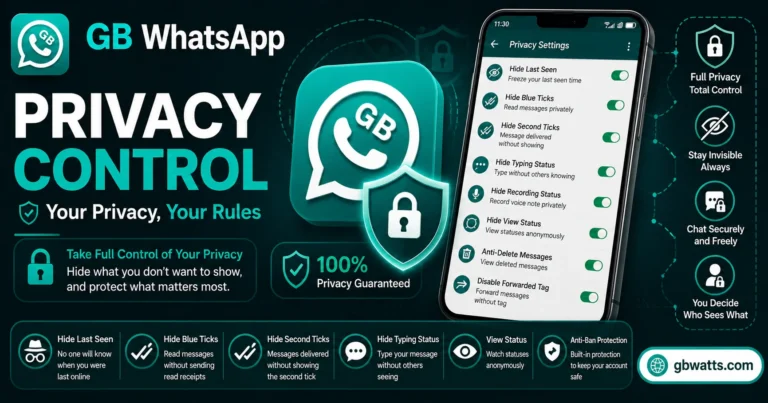
One of the side benefits of the status downloader is the hidden view feature. By default, when you view a status, the person who posted it can see your name in the viewer list. Some people are fine with that, but others prefer to keep their viewing private.
GB WhatsApp lets you view a status without appearing in the viewer list. To use this, open the Status tab but do not tap on the status. Instead, use the Hidden View option that GB WhatsApp provides. The status opens in a separate viewer where you can see it and even download it, all without your name showing up in the visible viewers.
This is a powerful feature for people who want to keep up with updates without being noticed. It works alongside the status downloader, so you can save the file while staying invisible to the original poster.
Downloading Statuses From Disappearing Photos
WhatsApp has a feature called View Once where someone can send you a photo or video that disappears after you view it. The official app does not let you save these files.
GB WhatsApp has a bypass for this. When you receive a view once photo or video, GB WhatsApp saves it to your gallery automatically. You can also view it multiple times, not just once. This is another privacy and convenience feature that GB WhatsApp users love.
To use this, you do not need to do anything special. Just receive the view once media as you normally would, and GB WhatsApp handles the saving in the background. The file will appear in your gallery as soon as you open the message.
Quality Of Downloaded Statuses
The GB WhatsApp status downloader saves files at their original quality. The official app compresses photos and videos before posting them to status, so the downloaded file matches what was posted, not the original full quality version.
For most users, this is more than enough. The quality is good for sharing, viewing on other devices, and keeping as memories. If you want the original full resolution version, you would need to ask the person to share it through a chat instead of as a status.
Is It Legal And Ethical To Download Statuses
This is a fair question. Status updates are intended to be viewed by the people the poster chose to share with. Downloading them is a gray area depending on how you use the file.
If you are saving a status for personal use, like keeping a memory of a friend’s trip or a family event, that is generally considered fine. If you are downloading someone else’s status and sharing it publicly without their permission, that crosses an ethical line.
GB WhatsApp gives you the technical ability to download statuses, but how you use that ability is up to you. Be respectful of other people’s content. Do not redistribute or repost someone else’s status without their consent.
Tips For Organizing Downloaded Statuses
If you download lots of statuses, your gallery can get cluttered quickly. Here are some tips to keep things organized.
Create a dedicated folder for GB WhatsApp status downloads. Move all downloaded files into this folder so they do not mix with your personal photos. Most file managers let you create new folders easily.
Rename files with context. Add the contact name or event to the file name so you can find it later. For example, rename IMG_20260715.jpg to Sarah_Birthday_20260715.jpg to remember what it is.
Back up important downloaded statuses. If you saved a status that is meaningful, copy it to a cloud service or your computer. Phones get lost or damaged, and local files can disappear.
Troubleshooting Common Issues
If the download button is not showing up, you are probably using an older version of GB WhatsApp. Update to the latest version from the official source to enable all status features.
If the downloaded file is not appearing in your gallery, check the file manager directly. Some phones delay gallery updates by a few minutes. If the file is in the file manager but not in the gallery, restart the gallery app or the phone.
If hidden view is not working, make sure you are not tapping directly on the status. Hidden view requires you to use the dedicated option, not the regular status viewer.
FAQs
Where is the GB WhatsApp status downloader button?
When you view a status, the download icon appears in the corner of the screen. Tap it to save the file to your phone.
Can I save video statuses with sound?
Yes, the downloader saves the full video including the original audio track. The quality matches what was posted.
Does the person know I downloaded their status?
No, there is no notification sent to the original poster. Downloads happen silently on your device.
Can I save statuses from view once photos?
Yes, GB WhatsApp automatically saves view once media to your gallery. You can also view them multiple times.
Will the status downloader work in group statuses too?
Yes, it works for both contact statuses and group status updates. The download button appears in both cases.
Final Thoughts
The GB WhatsApp status downloader is a small feature that makes a big difference. It removes the frustration of trying to save something that the official app makes impossible, and it does so in a clean, one tap way. Combined with hidden view and view once bypass, it gives you full control over the status experience. If you regularly use WhatsApp statuses, this feature alone makes GB WhatsApp worth installing.