GB WhatsApp Ghost Mode Feature Stay Invisible While You Chat
Ever wished you could read messages without anyone knowing you saw them? That is exactly what the GB WhatsApp ghost mode feature delivers. It is one of the most talked about privacy tools inside the GB WhatsApp mod, and for good reason. It lets you vanish from the app while still doing everything you normally would.
In this guide, you will learn what ghost mode really does, how to turn it on, and why so many users are switching to GB WhatsApp just to use it.
What Is GB WhatsApp Ghost Mode
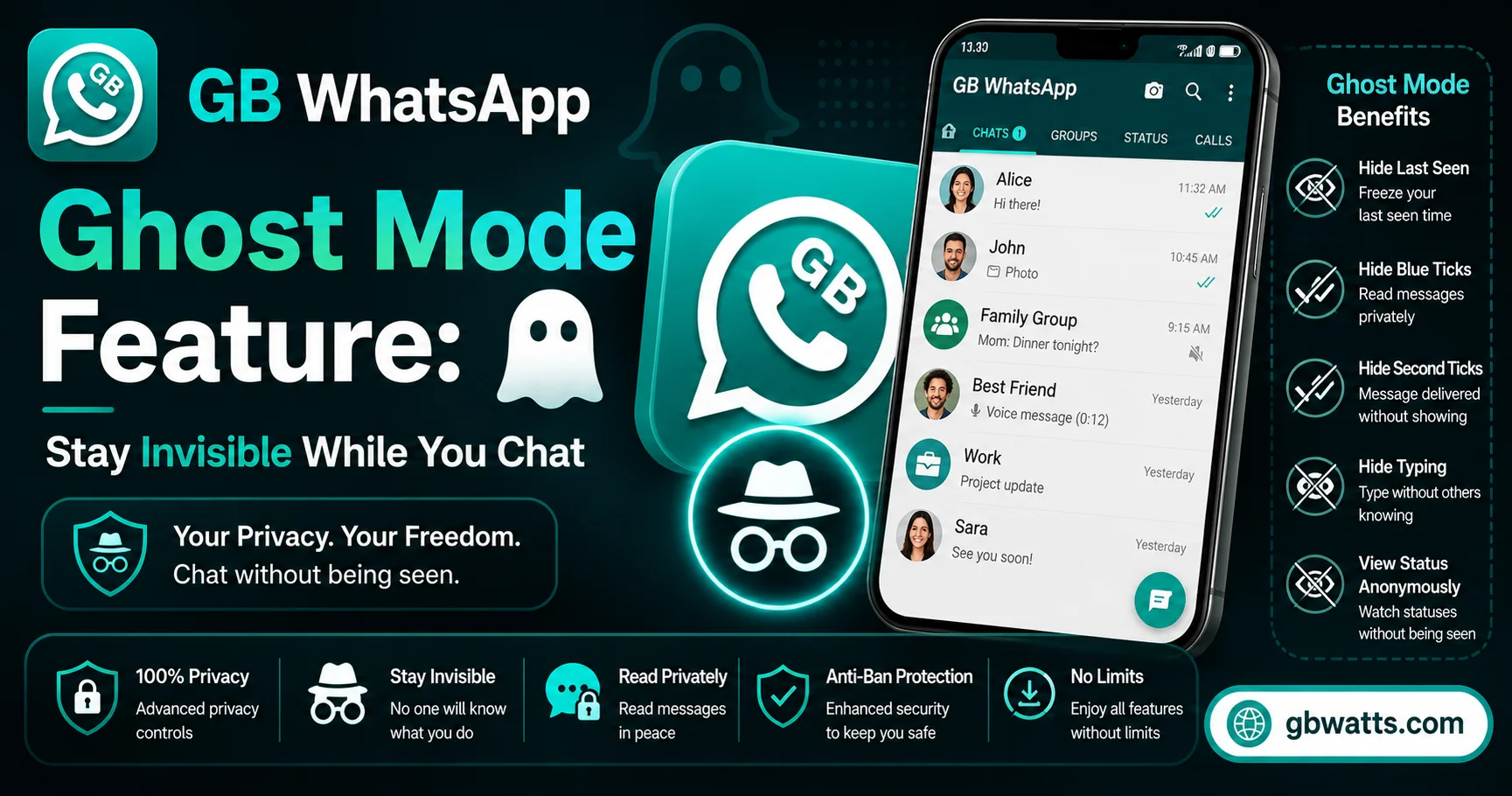
Ghost mode is a stealth setting built into GB WhatsApp. When you enable it, other people cannot tell if you are online, when you were last active, or whether you have read their messages. It is like wearing an invisibility cloak inside WhatsApp, but only for the things you choose to hide.
Think of it this way. With official WhatsApp, you either show everything or nothing. GB WhatsApp ghost mode lets you pick. Want to hide your online status but still show read receipts? You can do that. Want to disappear from last seen but still let your best friend see it? You can do that too.
Key Things Ghost Mode Hides
The feature does not just flip one switch. It gives you a panel of privacy controls that work together.
Online status is the big one. Once ghost mode is active, nobody can see the little “online” tag under your name. You can read chats, reply when you want, and the other person will still think you are offline.
Last seen timestamp also disappears. Normally WhatsApp shows the last time you opened the app. Ghost mode freezes that clock or removes it entirely, so nobody can track when you were active.
Blue ticks go away automatically. You know those little blue check marks that show someone read your message? Ghost mode hides them. You can read in peace, then reply whenever you feel like it.
Typing and recording indicators also get blocked. Those animated “typing…” or “recording audio” dots that show up when someone is replying? With ghost mode on, the other side will not see them when you are the one typing or recording.
Second tick confirmation is another layer. Some people pay close attention to whether their message has been delivered at all. Ghost mode can hide even the grey ticks, not just the blue ones.
How To Enable GB WhatsApp Ghost Mode
Getting ghost mode running takes only a few steps. Open GB WhatsApp and tap the three dots in the top right corner. From the menu, pick GB Settings, then go to the Privacy and Security section. Look for Ghost Mode and toggle it on.
Once it is on, you will see a list of sub options. Pick the ones you want. You can hide online status, freeze last seen, block blue ticks, and disable typing indicators all from the same screen. When you are done, just go back to your chats. The settings apply instantly.
If you ever want to turn it off, follow the same steps and toggle ghost mode back off. Everything goes back to normal right away.
Why People Love This Feature
The reason ghost mode is so popular is simple. It gives back control. With official WhatsApp, your availability is public. Bosses see you online at midnight. Exes check your last seen. Group chats blow up the moment you open them. Ghost mode ends all of that.
It is also useful for people who handle sensitive conversations. Journalists, counselors, support agents, and anyone who needs to read messages quietly without triggering a notification on the other end will find ghost mode genuinely useful.
There is also a social side. Sometimes you just do not want to talk. Ghost mode lets you ignore messages without the awkwardness of leaving someone on read. The other person will not even know you saw their text.
Things To Keep In Mind
Ghost mode is powerful, but it is not magic. You still receive messages and notifications unless you mute the chat separately. And if you reply to someone, they will obviously know you are active at that moment. The feature hides passive activity, not active replies.
Also, GB WhatsApp is a third party mod, not the official app from Meta. That means it is not available on the Google Play Store. You have to download it as an APK from a trusted source. Make sure you grab it from the official GB WhatsApp website to avoid fake or modified versions that could carry malware.
Back up your chats before installing, just in case. And keep the app updated, since older versions sometimes get detected and temporarily banned by WhatsApp.
FAQs
What is the GB WhatsApp ghost mode feature in simple terms?
It is a privacy setting that hides your online status, last seen, blue ticks, and typing indicators so you can use WhatsApp without anyone tracking your activity.
Does ghost mode work in group chats too?
Yes, ghost mode applies to both individual and group conversations. Your activity stays hidden across the entire app.
Can someone tell if I am using ghost mode?
No, there is no way for another user to detect ghost mode. From their side, it simply looks like you are offline or have not opened their message.
Will I still get notifications in ghost mode?
Yes, notifications work normally. Ghost mode only hides what others can see about you. It does not block incoming messages or alerts.
Is ghost mode safe to use every day?
For most users it is perfectly safe. Just make sure you download GB WhatsApp from the official source and keep it updated to avoid security risks.
Final Thoughts
The GB WhatsApp ghost mode feature is hands down one of the best privacy tools you can get on a messaging app. It is simple to set up, easy to customize, and it gives you the kind of control that official WhatsApp simply does not offer. If privacy matters to you, this alone is a good reason to try GB WhatsApp.