GB WhatsApp Username Feature What It Is and Why It Matters
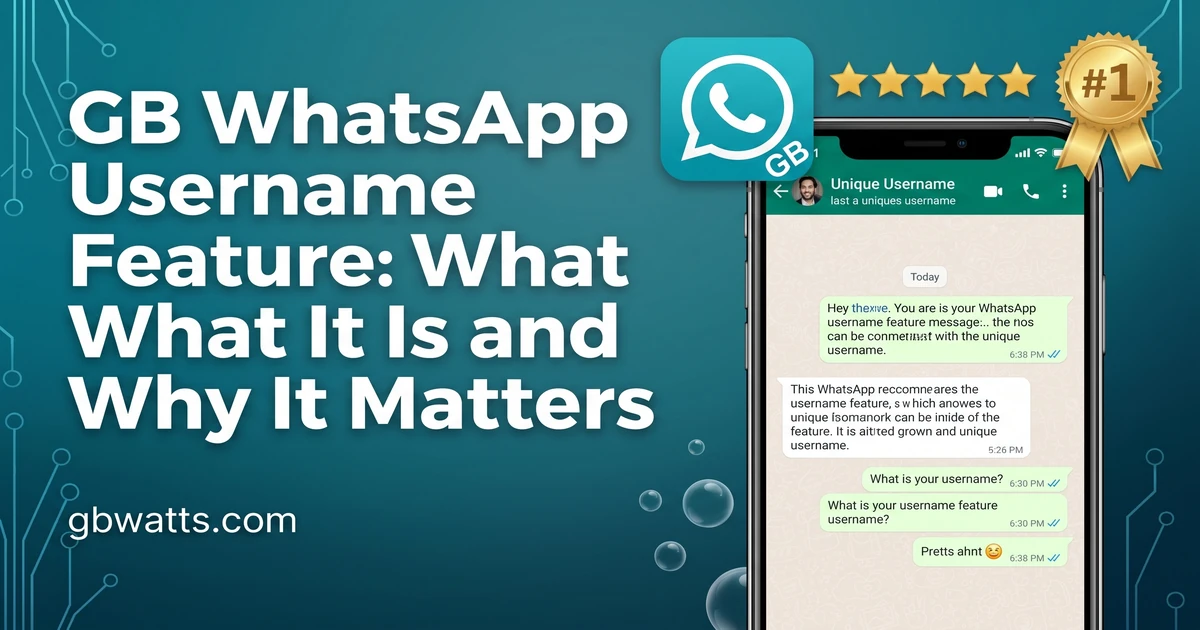
Messaging apps are moving toward usernames. Telegram has them, Signal has them, and now the GB WhatsApp username feature is changing the way people connect on WhatsApp too. Instead of sharing your phone number, you can use a unique username to share your contact details, add people, and chat more privately.

If you have been wondering what usernames mean for WhatsApp users and how GB WhatsApp handles them, this guide covers everything.
What Is A Username In Messaging
A username is a unique identifier that replaces your phone number for the purpose of being contacted. Instead of sharing your actual number, you share a username like @yourname. Other people can search for that username, find your profile, and message you without ever seeing your phone number.
This is a big shift in how messaging apps work. For years, sharing your phone number was the only way to let someone message you. That meant giving out personal information, dealing with spam from strangers, and having no separation between your private number and your messaging identity.
Usernames fix that problem. You can chat with new people, join communities, and build a messaging presence without ever sharing your real number. It is a privacy first approach that is becoming the standard across modern messaging apps.
How GB WhatsApp Username Feature Works
GB WhatsApp has adopted the username concept and given it its own spin. The feature lets you create a unique username that other GB WhatsApp users can search for and use to start a conversation with you.
Here is how it works in practice.
Create your username inside GB WhatsApp by going to GB Settings, then Profile, then Username. Pick a unique handle that is not already taken. The app will let you know if your chosen name is available.
Share your username with people you want to chat with. You can post it on social media, put it in your bio, or just send it directly to friends. They can then search for it inside GB WhatsApp and start a chat.
Receive messages without sharing your number is the main benefit. When someone messages you through your username, they do not see your phone number. You stay private, and they get to reach you easily.
Change your username anytime is a nice touch. If you ever want a fresh start or your current name no longer fits, just pick a new one. Your previous conversations stay intact, and the new username becomes your active identity.
Why This Feature Is A Big Deal
The username feature might sound small, but it has major implications for privacy, security, and convenience.
For privacy, it is huge. You can chat with people without giving them your real phone number. This is especially important for people who meet others online, run small businesses, or just want to keep their personal number private.
For security, it adds a layer of protection against spam. If someone gets your phone number from a leak or a contact list, they cannot automatically find you on GB WhatsApp unless they also know your username. That makes it harder for strangers to message you out of the blue.
For convenience, it makes it easier to be found. Instead of saving a phone number, people can just search your username. This is great for creators, influencers, and small business owners who want a public messaging identity.
For business, it is a game changer. You can put your username on your website, business card, or social media bio. Customers can message you directly through GB WhatsApp without seeing your personal number.
Setting Up Your GB WhatsApp Username
The setup process takes about a minute. Open GB WhatsApp and tap the three dots in the top right corner. Go to GB Settings, then Profile. You will see a new Username field at the top.
Tap on it and enter your desired username. GB WhatsApp will check if it is available. If it is, you will see a green check mark. Save it, and your username is active immediately.
You can also add a small bio under your username. This is a short description that appears when someone searches for you. Keep it friendly and informative. Something like “Photographer based in NYC” or “Coffee lover, DM for tips” works well.
If you want to customize your profile further, GB WhatsApp lets you choose a unique display name separate from your username. This is helpful if you want your username to be short and simple, but your display name to be more descriptive.
Username Vs Phone Number
It helps to understand the difference between your username and your phone number in GB WhatsApp.
Your phone number is still your primary identifier. You need it to register, verify, and recover your account. It is the foundation of your GB WhatsApp identity.
Your username is an additional identifier. It sits on top of your phone number and gives people an alternative way to reach you. It is not a replacement for your number, but it is a powerful addition.
In practice, you can choose who sees your phone number and who only sees your username. New contacts who find you by username will not see your number unless you explicitly share it. Contacts who already have your number will see both, but the username becomes the main way they reference you.
Tips For Choosing A Good Username
Picking the right username matters. Here are some tips to help.
Keep it short and memorable. A username like @sam22 is easier to remember and share than @samuel_thompson_2024. Aim for something people can type quickly and recall easily.
Make it relevant to who you are. If you are a designer, something like @designbysam is more useful than @samrocks. People who find you should immediately understand what you do or what you are about.
Avoid numbers if you can. Pure letter usernames look cleaner and are easier to brand. If your name is taken, try adding a small modifier like your city or profession.
Stay consistent across platforms. Use the same username on Instagram, Twitter, and GB WhatsApp if possible. This makes it easier for people to find you across all your social profiles.
Keep it professional if you plan to use GB WhatsApp for business. Your username is often the first impression people get, so choose something that reflects the image you want to project.
Common Problems And Fixes
Sometimes the username feature has small hiccups. Here is how to handle the most common ones.
If your desired username is taken, try variations. Add an underscore, a number, or a short modifier. The point is to find something unique, not necessarily your first choice.
If people cannot find you by username, double check that your username is set to public in the privacy settings. By default it is searchable, but if you have changed settings, you may have hidden it.
If you want to delete your username, you can do so in the Profile section. Just clear the field and save. Your account will still work with your phone number as the only identifier.
If the username feature is not showing up in your version of GB WhatsApp, update the app. The feature was added in a recent version, and older versions do not have it.
How Usernames Compare To Other Apps
Let me put the username feature in context with how other apps handle the same thing.
| App | Username Format | Privacy Level | Discoverable |
|---|---|---|---|
| GB WhatsApp | @yourname | High | Optional |
| Telegram | @yourname | High | Optional |
| Signal | @yourname | Very high | Optional |
| Official WhatsApp | No username | Low | Phone number only |
| @yourname | Medium | Public by default |
GB WhatsApp sits comfortably alongside Telegram and Signal when it comes to username privacy. The discoverability is optional, meaning you control whether your username can be searched or only used by people who already have it.
The Future Of Usernames In GB WhatsApp
The username feature is still relatively new in GB WhatsApp, and developers are actively improving it. Future updates are expected to add things like custom username links, username badges, and the ability to use usernames in group chats.
There is also talk of a verified username feature for businesses. Verified business accounts would get a special badge next to their username, making it easy for customers to know they are chatting with a real brand.
For now, the basic feature is already a major improvement over the phone number only model. If you are not using it yet, set it up today and start sharing your username instead of your number.
FAQs
What is the GB WhatsApp username feature?
It is a privacy feature that lets you create a unique username so people can message you without knowing your phone number.
Can I have the same username as someone on official WhatsApp?
Usernames are unique across GB WhatsApp. If the name is taken, you will need to pick a different one.
Do I lose my phone number identity if I use a username?
No, your phone number is still your account identifier. The username is an additional way for people to find and message you.
Can people search for me by username without my permission?
No, the username search is opt in. You control whether your username is publicly searchable or only shared with people you give it to directly.
Is the username feature available in all GB WhatsApp versions?
No, only recent versions support it. Update GB WhatsApp to the latest release to access the username feature.
Final Thoughts
The GB WhatsApp username feature is a small addition that makes a huge difference. It brings GB WhatsApp in line with modern messaging apps, gives users real privacy control, and opens up new possibilities for how people connect. If you care about keeping your phone number private while still being reachable, set up your username today. It takes a minute and changes the way you use the app forever.